
Coming soon · Release date TBA
UpdatedMachinarium 2 Release: Date, Platforms, and Gameplay
Track the Machinarium 2 release, explore Josef and Berta's new adventure, check Windows and Mac support, and get ready for puzzles built around two robots.
Jump to
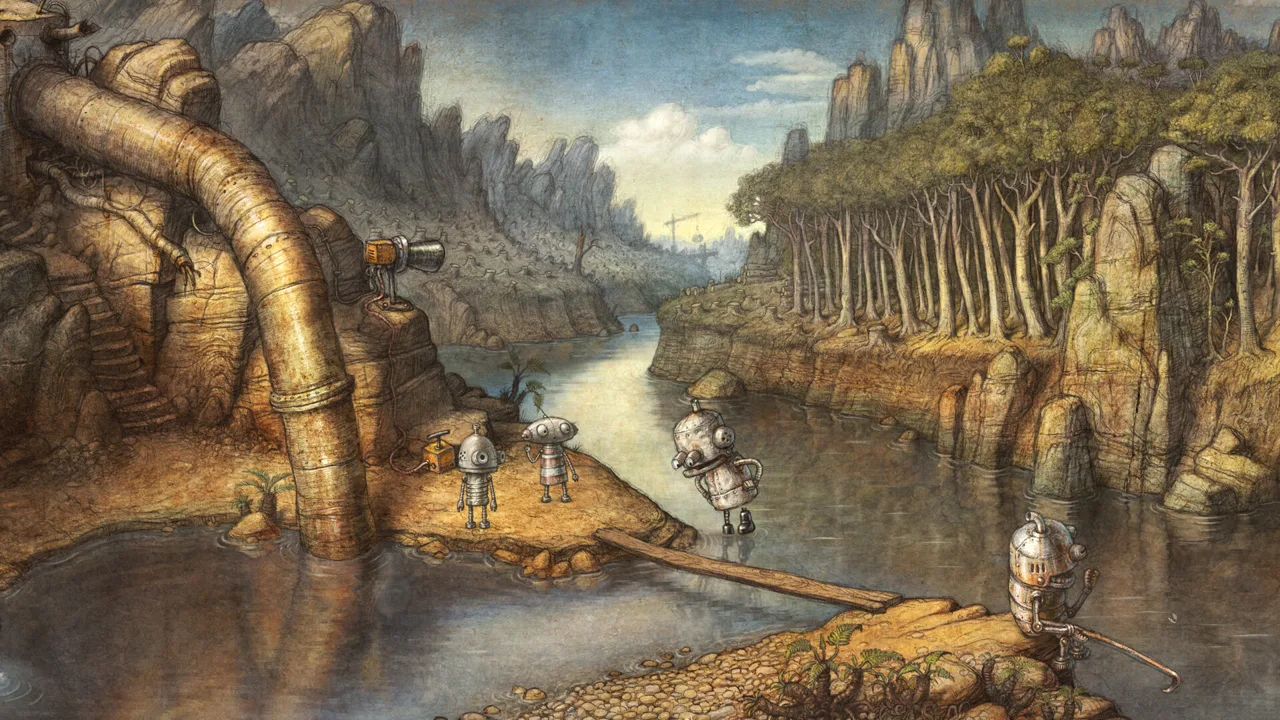
Machinarium 2 Release Date and Current Status
Josef and Berta are heading into a new robot world, and this time you’ll guide them both. The Machinarium 2 release promises puzzles built around their different abilities, giving their reunion a direct role in how you play. The Machinarium 2 release date is “To be announced,” and you can already wishlist the adventure on Steam.
Amanita Design is developing and publishing the sequel. Its premise takes the pair beyond the city of Machinarium and into a hidden valley where two robot communities face a shared problem: their power is running out.
That gives you something concrete to look forward to while waiting for a date. The sequel has a defined setting, two playable protagonists, support for mouse and gamepad controls, and a returning composer.
| Release detail | Current information |
|---|---|
| Release date | To be announced |
| Release status | Coming soon |
| Developer and publisher | Amanita Design |
| Steam platforms | Windows and Mac |
| Player mode | Single-player |
| Available player action | Wishlist on Steam |
Add Machinarium 2 to your Steam wishlist if you want to keep it within easy reach. Its Steam page also includes an announcement trailer and screenshots, so you can explore the presentation before launch.
For anyone tracking the Machinarium 2 release, the key distinction is simple: there is a sequel to follow, while its calendar date remains TBA. Keep that status in mind when planning your next adventure-game purchase.
The wait also gives you time to decide how you want to play. Direct gamepad movement and traditional mouse controls are both part of the sequel, making your preferred input method a useful starting point.
Platforms, PC Requirements, and Launch Preparation
Machinarium 2 supports Windows and Mac through Steam. The Windows version requires a 64-bit processor and operating system, with Windows 10 or better as the minimum OS.
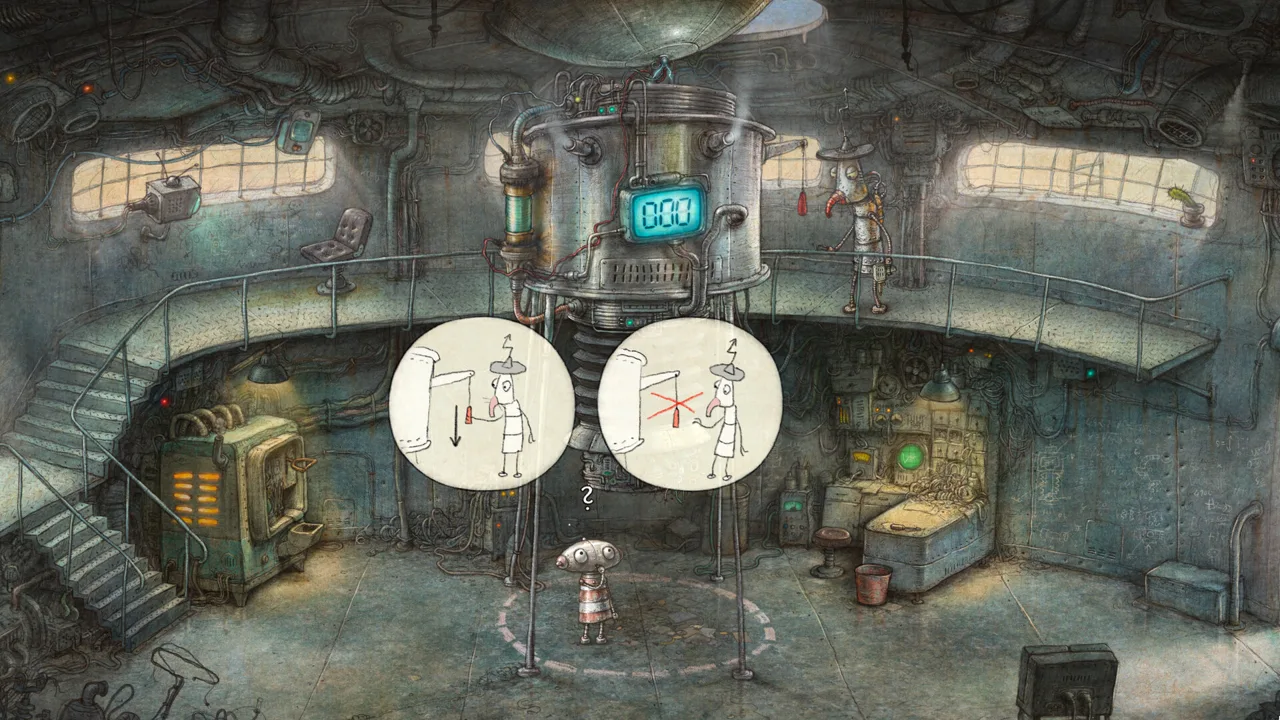 Image: Steam / Amanita Design
If you’re preparing for the Machinarium 2 release on PC, check the requirements against your computer before setting aside storage. The hand-drawn presentation is a major attraction, but your graphics hardware still needs DirectX 11 compatibility.
| Windows minimum requirement | Specification |
|---|---|
| Operating system | Windows 10, 64-bit, or better |
| Processor | 2 GHz Intel i5 or better |
| Memory | 4 GB RAM |
| Graphics | DirectX 11 compatible GPU |
| DirectX | Version 11 |
| Available storage | 5 GB |
Check all of these together. Having enough disk space answers the installation question; it doesn’t tell you whether your processor, memory, and graphics hardware meet the minimum requirements.
Before launch, work through this short checklist:
- Compare your Windows version and hardware with the minimum specifications.
- Set aside 5 GB of available storage for the Windows version.
- Choose your preferred controls: mouse or gamepad.
- Keep the game on your wishlist so you can return to its release information easily.
The game also supports Steam Achievements and Steam Cloud. Its accessibility features include saving anytime and playing without timed input, which are useful considerations if you prefer tackling adventure puzzles without pressure from quick reactions.
| Feature | What it offers |
|---|---|
| Windows and Mac support | Desktop platform options through Steam |
| Full controller support | Gamepad play with direct character movement |
| Mouse-only option | A traditional adventure control option |
| Save anytime | Flexibility to stop a session |
| Playable without timed input | Puzzle solving without required timed actions |
| Steam Cloud | Cloud support for saves |
| Steam Achievements | Achievement support |
Choose your setup around how you enjoy exploring. If you like moving characters directly, start with a controller. If pointing and clicking feels natural, use the mouse option.
Josef and Berta’s New Home Has a Power Problem
The Machinarium 2 release brings Josef and Berta into a story about finding somewhere to belong. After escaping the city of Machinarium, they crash-land in the barrens. Their search leads them down a cliff and into a lush valley concealed below.
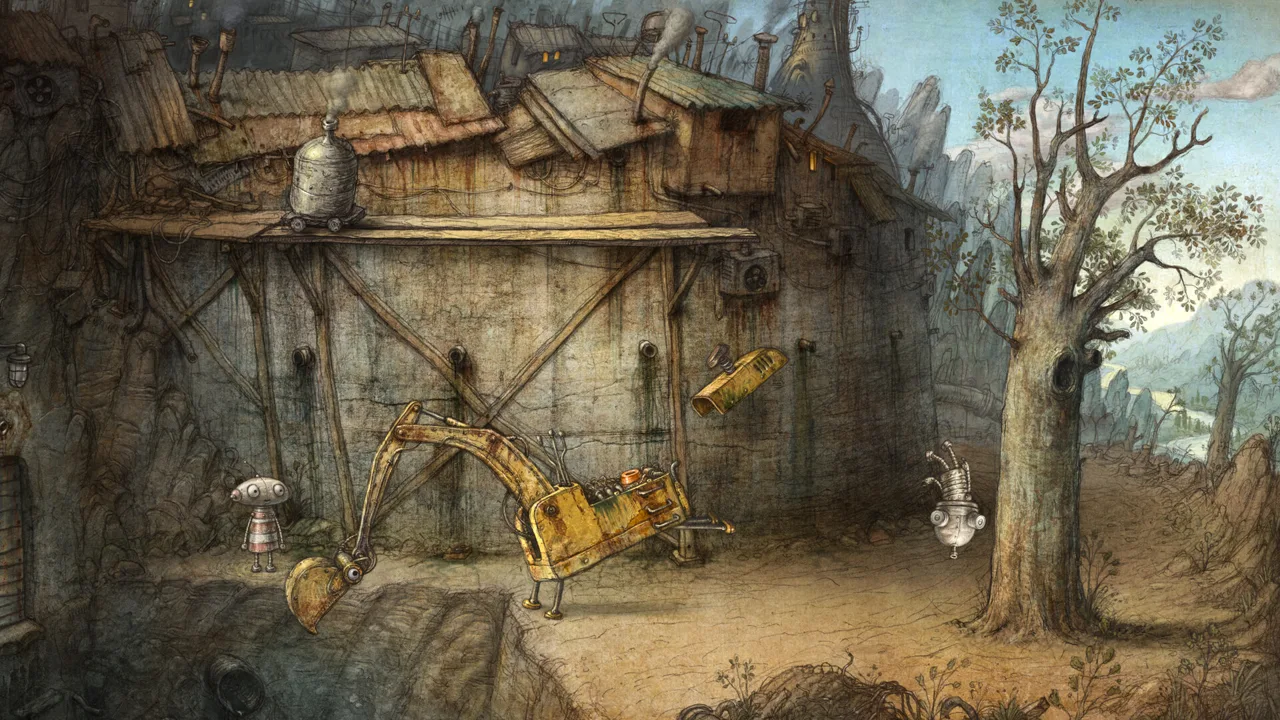 Image: Steam / Amanita Design
Two unusual robot tribes live there. One occupies a monastery high among the rocks; the other lives in a city beneath it. Both communities are slowly losing access to power.
The named locations include Elektrona monastery and the city of Oilton, along with their surrounding areas. That combination gives the adventure a setting with both height and contrast: a rocky monastery above, a city below, and a valley connecting the world around them.
Josef and Berta arrive looking for a new home, only to encounter communities whose future is already under strain. Their personal goal and the valley’s energy shortage give the journey a clear direction without needing lengthy spoken explanations.
A Story Told Through Robot Expressions
Machinarium 2 uses animated thought bubbles, gestures, and symbols to communicate with the robots you encounter. Its storytelling is wordless, so expressions and visual exchanges carry the information.
Pay attention to the way a robot gestures and to the symbols inside a thought bubble. Those are the game’s language. Give an interaction your full attention before moving on, especially when a character is communicating something visually.
The same principle applies to Josef and Berta. With richly animated robots at the center of the adventure, movement and expression help give these machines personality.
That presentation suits a story about reunion and a search for home. You follow characters whose emotions come through visually, while the valley’s dwindling power supplies provide the larger problem surrounding their journey.
How Switching Between Two Robots Changes the Puzzles
The central gameplay change in the Machinarium 2 release is that you control both Josef and Berta. You can switch between them freely, and each has unique abilities that contribute to solving puzzles.
 Image: Steam / Amanita Design
This remains a single-player adventure. You guide the pair yourself, using their abilities together to overcome challenges neither robot could solve alone.
That makes character switching part of the puzzle-solving process. When you reach a problem, consider what each protagonist can contribute. A challenge can involve the pair’s combined capabilities rather than one robot handling everything.
| Gameplay element | How it works | Tip for players |
|---|---|---|
| Two playable protagonists | Guide Josef and Berta | Consider both characters when assessing a puzzle |
| Free character switching | Change between them at any time | Switch when you want to approach a problem with the other robot |
| Unique abilities | Each robot contributes different capabilities | Think about how their abilities could work together |
| Visual communication | Robots use gestures, symbols, and thought bubbles | Watch the entire exchange before acting |
| Two control options | Gamepad and mouse are supported | Choose the input style you prefer |
Think About Both Characters
Use character switching as a deliberate step when you get stuck. Reconsider the problem with the other protagonist, then think about how the two abilities might connect.
The important habit is to keep both robots in mind. You’re guiding a pair whose cooperation is built into the adventure, so focusing exclusively on one character can narrow how you approach a challenge.
Avoid assuming that switching characters automatically supplies an answer. The underlying task is still to understand the puzzle and work out how the available abilities fit it. Switching gives you another way to examine that task.
Choose Between Direct Movement and Mouse Controls
With a gamepad, you move Josef and Berta directly. Amanita Design recommends this control style for Machinarium 2. Mouse controls are also fully supported for players who prefer the familiar adventure-game feel.
Choose direct movement if that’s how you want to guide the robots through their world. Choose the mouse if you enjoy interacting through a cursor. Both options let you approach the same adventure with a different input style.
The support for play without timed input also matters here. You can focus on understanding a challenge rather than preparing for required timed actions. When a visual exchange or puzzle needs another look, give yourself that time.
Use the save-anytime feature when you need to step away. There’s no need to organize your entire evening around a puzzle session when the game allows you to save at the point you choose.
Hand-Drawn Scenery and Floex’s Returning Soundtrack
The Machinarium 2 release also brings a new hand-drawn world and music by Tomáš Dvořák, also known as Floex, the composer of the original Machinarium soundtrack.
The visual style draws inspiration from old master drawings and Renaissance landscape paintings. Pipes, walls, and large structures are all drawn by hand, while the robots receive detailed animation and expressive movement.
That artistic direction reaches across very different environments. Elektrona’s monastery, Oilton’s city, and the valley around them share the same handcrafted approach, giving you a consistent visual style as the setting changes.
Take time to look at the scenery as you explore. Weathered architecture and expressive robots are central parts of the presentation, and wordless storytelling gives visual details an especially prominent role.
Familiar Musical Roots, New Arrangements
Floex’s new score retains the robot-world character and acoustic textures associated with Machinarium. It expands that sound through symphonic arrangements, with touches of Renaissance influence.
The music and artwork therefore share an interest in older artistic traditions, expressed through a world of machines. For returning players, the returning composer provides a familiar connection as Josef and Berta enter unfamiliar surroundings.
Visit Amanita Design’s Machinarium 2 website to browse the game’s presentation, then wishlist it on Steam when you’re ready to follow its launch. The practical preparation is straightforward: check your computer, choose your controls, and get ready to think through puzzles with two robots.
FAQ
When is the Machinarium 2 release date?
The Machinarium 2 release date is “To be announced.” Its current release status is coming soon, and you can wishlist the game on Steam.
Which platforms support Machinarium 2?
Machinarium 2 supports Windows and Mac through Steam. The Windows minimum requirements include a 64-bit version of Windows 10 or better, a 2 GHz Intel i5 or better, 4 GB RAM, a DirectX 11 compatible GPU, and 5 GB of available storage.
Is Machinarium 2 single-player, and can you play as Berta?
Yes. Machinarium 2 is a single-player adventure in which you control both Josef and Berta. You can switch between them freely and combine their unique abilities to solve puzzles that require their cooperation.
Where can I follow the Machinarium 2 release?
Wishlist the game on its official Steam page and visit Amanita Design’s Machinarium 2 website. Steam also has the announcement trailer and screenshots, giving you a way to explore the adventure while waiting for its release date.
Popular pages
Machinarium 2 System Requirements: PC and Mac Guide
Check Machinarium 2 system requirements, including Windows specs, RAM, graphics, and storage. Check your PC and explore Mac support and controller options.
Machinarium 2 Characters: Meet Josef, Berta, and More
Explore Machinarium 2 characters, from playable Josef and Berta to the robots of Elektrona and Oilton. Learn how their partnership shapes the adventure.
Join the community
Official channels for news, updates and player help: